

AI spend management is how a company sees, attributes and caps what it pays AI vendors: model APIs such as OpenAI, Anthropic and Google Gemini, AI coding tools such as Cursor, and AI software seats. Think of it as AI cost management for the bill itself, not AI software that automates expense reports.
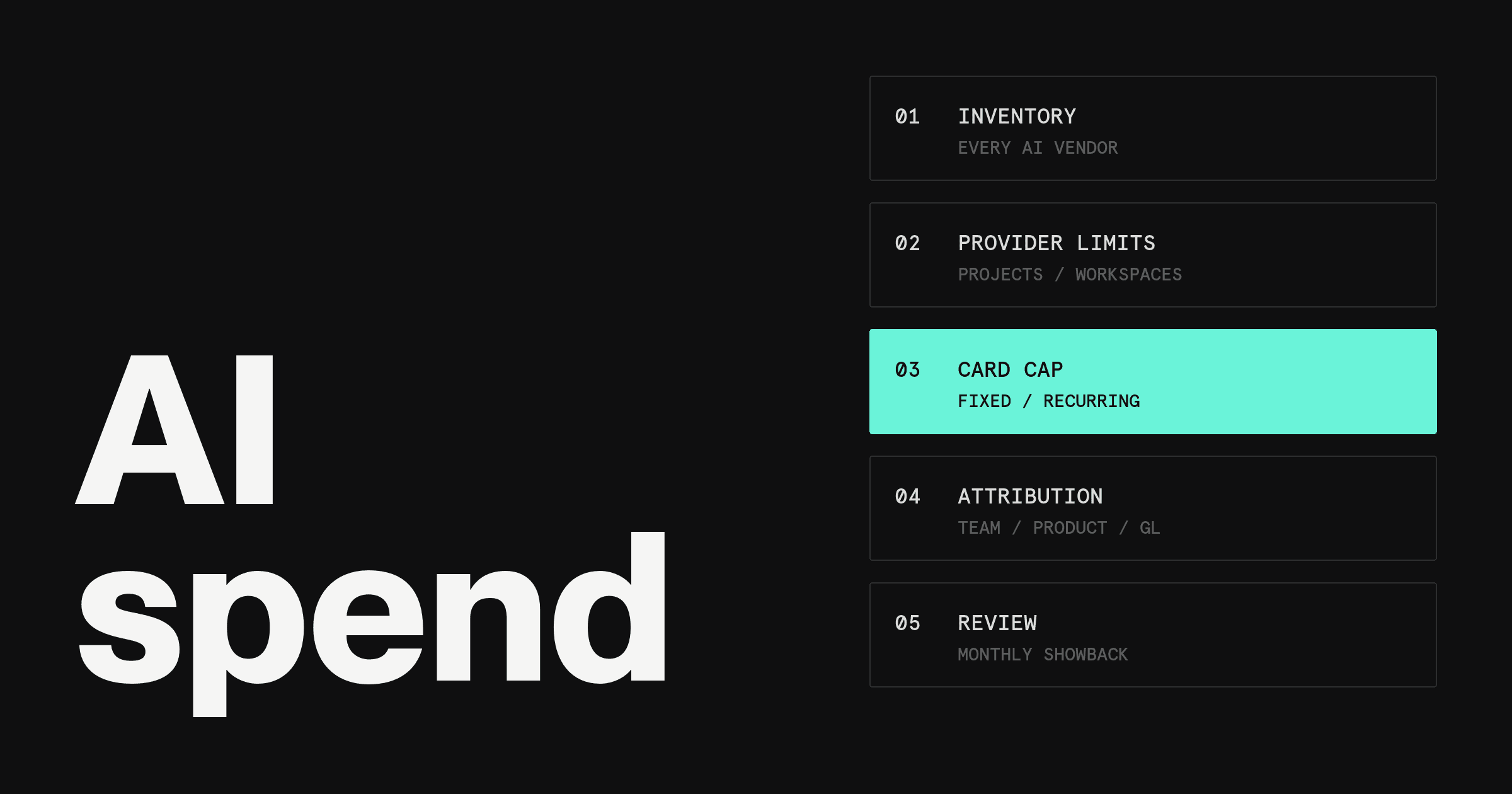
For a startup, the work comes down to five layers: inventory every AI vendor, turn on each provider's own limits, put each vendor on a capped card, attribute spend by team and product, and review it monthly. This guide walks through each layer, compares the tools that help, and answers the questions founders ask about AI budgets.
How should a startup track and control its OpenAI and Anthropic API spend?
Give each environment or team its own OpenAI project and Anthropic Console workspace, and set a hard spend limit on each. Pay each provider with a dedicated virtual card that carries a recurring monthly limit and a merchant lock. Then code every charge to a team and GL account in your accounting sync, and compare the month against budget on a fixed date.
Two caps, not one. Provider limits stop runaway usage inside the console. Card limits stop the payment, and they also cover tools that have no usage console at all.
Why AI spend is different from other software spend
A $30 seat behaves the same way every month. AI spend does not, for four reasons.
Usage-based tokens. Model APIs bill per token, with input and output priced separately. A longer prompt, a retry loop or a traffic spike raises the bill with no change to any contract.
Many providers. It is common to pay OpenAI, Anthropic and Google for APIs, plus a coding tool and a set of chat seats. Each one bills on its own account, in its own console.
Engineers hold the keys. Anyone who can create an API key can start spend. A leaked key or a runaway job spends at machine speed, and OpenAI's production guidance recommends expiration dates on project API keys.
Card-on-file sprawl. AI tools are easy to try on whatever card is handy. The charges land in expenses as generic software, with no owner and no budget line.
Here's the catch: no single tool sees all four. The provider console sees tokens but not the card. The card sees the payment but not the tokens. The framework below stacks them.
The 5-layer AI spend management framework
Each layer below has three parts: what it is, a recommended default, and when to tighten it. Dollar figures are example starting points, not provider or Rho defaults.
1. Inventory every AI vendor
What it is. A list of every AI vendor the company pays, built from card statements, bill pay and expense reports rather than from memory. Search the last 90 days of transactions for OpenAI, Anthropic, Google, Cursor and any merchant name with "AI" in it.
Recommended default. One row per vendor with five fields: owner, use case, payment method, monthly run rate, and whether it bills by usage or by seat. Anything without an owner gets one or gets cancelled.
When to tighten. Rebuild the list monthly once more than one team buys AI tools on its own.
2. Turn on provider-native controls
What it is. Spend limits and alerts inside each provider's own console. Each summary below reflects the provider's documentation as of November 1, 2026.
How to set an OpenAI API spend limit. Set a hard spend limit for the organization or for each project on OpenAI's limits page; spend alerts alone do not enforce a cap. Per the OpenAI spend limits guide, a hard limit stops affected traffic, and requests return a 429 error. A project limit covers only traffic billed to that project.
OpenAI also notes that enforcement is not instantaneous, so recorded spend can slightly exceed the configured amount. Limits reset with the next monthly cycle.
How to set an Anthropic (Claude) API spend limit. Set an organization limit below your usage tier's cap on the Claude Console Billing page, or a custom spend limit per Workspace other than the default Workspace. Organization limits always apply on top of Workspace limits.
Per Anthropic's rate limits documentation, each usage tier carries a maximum monthly cost: $500 on Start, $1,000 on Build and $200,000 on Scale, with no monthly cap on Custom. At the tier cap, API usage pauses until 00:00 UTC on the 1st of the next month unless a higher limit is requested.
How to set a Gemini API spend cap. Gemini API usage is capped monthly at the billing-account level, and at the cap service pauses for every linked project until the next billing cycle, per Google's Gemini API billing page.
Project editors, owners or admins can also set a project spend cap in AI Studio. Google notes that overages can occur during a roughly 10-minute latency window and from batch or agent tasks.
Recommended default. One project or workspace per environment, which matches OpenAI's advice to separate staging and production. Where the provider supports it, put a spend limit on each and an alert below it. Example: a $2,000 monthly production limit with an alert at $1,600.
When to tighten. Give each customer-facing feature its own project or workspace, and set expiration dates on keys used in scripts or experiments.
3. Add payment-layer controls
What it is. A dedicated virtual card for each AI vendor, with its own limit and a merchant lock so the card declines anywhere else. Provider limits govern usage. Card limits govern payment, and they are the control that reaches seat-based tools and coding subscriptions.
Recommended default. A recurring monthly limit set a little above the vendor's run rate. Example: $500 a month on the card that pays a coding tool, and $2,200 on the card behind a $2,000 API limit. Use a fixed-limit card for a pilot with a set budget.
When to tighten. Add usage dates to trial cards so they stop working when the trial ends. Move any AI vendor still billed to a personal card onto its own company card.
4. Attribute spend by team and product
What it is. Attribution maps every AI dollar to a team, product or feature. Inside providers, that means separate keys, projects and workspaces per team or product. In finance, it means GL coding and department tags on each transaction, carried into the accounting sync.
Recommended default. One naming convention across providers and cards, such as team, product and environment. Code model usage to its own GL account so it doesn't disappear into general software. Decide with your accountant whether production model usage belongs in cost of revenue, since that choice changes reported gross margin.
When to tighten. Once AI powers a customer-facing feature, track cost per feature or per customer, not just per vendor.
5. Review monthly and show back costs
What it is. Showback means each team sees its AI cost every month. Chargeback means that cost is charged against the team's own budget. Most startups need showback well before chargeback.
Recommended default. A 30-minute review in the first week of each month: actual versus budget per vendor, the three biggest movers, and any key or card to close.
When to tighten. Move to chargeback when AI becomes a material line in gross margin, or when the same team runs over two months in a row.
AI spend management software and tools compared for startups
Labels below compare what each provider publishes on its own pages as of November 1, 2026, on two criteria: which layer of the framework the tool covers, and what it limits or connects to.
| Tool | Category | Best for | What it limits or connects to, as published (11/01/2026) |
| Ramp | Finance platform | Teams that want token tracking by provider, model and user | Limits by API key, user, department or company |
| Brex | Finance platform | Teams already on Brex that want vendor cards | Vendor cards set to recur or expire |
| Rho | Finance platform | Startups that want each AI vendor on its own capped card | Recurring, fixed or single-use card limits, merchant lock, QuickBooks and NetSuite sync |
| Helicone | Usage observability | Engineering teams that want LLM usage observability | Open source; free Hobby plan up to 10,000 requests |
| Portkey | AI gateway | Teams sending traffic to several model providers | Budget and rate limits listed under Enterprise |
| LiteLLM | AI gateway, open source | Teams that want an MIT-licensed gateway with budgets per key or team | Budgets on keys, users, teams and end customers |
| OpenRouter | AI gateway and model marketplace | Teams that want many models behind one account | Credit cap per API key |
| CloudZero | Cloud cost tool | Companies with large cloud bills adding AI vendors | Connectors for Anthropic, OpenAI and Cursor |
| Vantage | Cloud cost tool | Smaller cloud bills that want a free starting tier | Integrations for Anthropic, OpenAI, Cursor and OpenRouter |
Most startups need one finance platform plus the native controls in layer 2, and add an observability or gateway tool only when engineering wants request-level detail.
Finance platforms. Ramp has a dedicated product called AI Spend Management that tracks Anthropic, OpenAI, Gemini and Cursor through an admin API key, sends spike alerts by Slack or email, and has a free tier that does not require a Ramp card (as of 11/01/2026; paid-tier price not published).
Brex advertises unlimited virtual cards issued instantly, vendor cards with controls for specific vendors, and spend limits by category and merchant. Rho covers the payment and accounting layers: capped, merchant-locked cards per AI vendor and settled card transactions synced to QuickBooks or NetSuite.
Usage observability. Helicone describes itself as open source, with a free Hobby plan (10,000 requests) and Pro at $79 a month plus usage-based pricing (as of 11/01/2026).
AI gateways. Portkey offers an open-source self-hosted gateway, a free Developer plan (10,000 logs a month) and Production at $49 a month. LiteLLM is MIT-licensed and sets budgets with reset durations in seconds, minutes, hours or days. OpenRouter charges a fee on credit purchases, 5.5% on Standard and 8% on Business, and bills inference at the provider's list price (all as of 11/01/2026).
Cloud cost tools. CloudZero lists Anthropic, OpenAI and Cursor among its connectors and quotes prices on request. Vantage lists Anthropic, OpenAI, Cursor and OpenRouter integrations, with a free Starter plan up to $2,500 of tracked cloud spend and Pro at $30 a month (as of 11/01/2026).
Where Rho fits
Rho covers the payment-control layer and the finance side of attribution (layers 3 and 4 above). On the Rho platform, each Rho Card can carry a No Limit, Recurring, Fixed or Single-use limit. Recurring monthly limits reset on the 1st, and any transaction that would exceed the period's limit is declined.
Each card can be restricted to up to 20 distinct merchants or to specific Mastercard merchant categories, and merchant restrictions can also be set at the company level. Custom usage dates keep a trial card from outliving the trial.
Settled card transactions sync to QuickBooks or NetSuite once their accounting attributes are filled in, so the coding from layer 4 carries into the books. Token-level visibility stays with the provider consoles and the observability tools above.
See how the Rho Card works and who it is available to. Explore the Rho Card